


Objectives
- Share corporate matters or litigation cases with external advisors.
Steps
To begin the collaboration process with your external advisors, lawyers must share the matter or case from within Lexzur Practice with the advisor they wish to collaborate with.
- To do so, open the corporate matter or the litigation case you wish to share with your advisors

- Click on the “External Advisors” option under the General Info tab,
- Then click to add the Advisor.
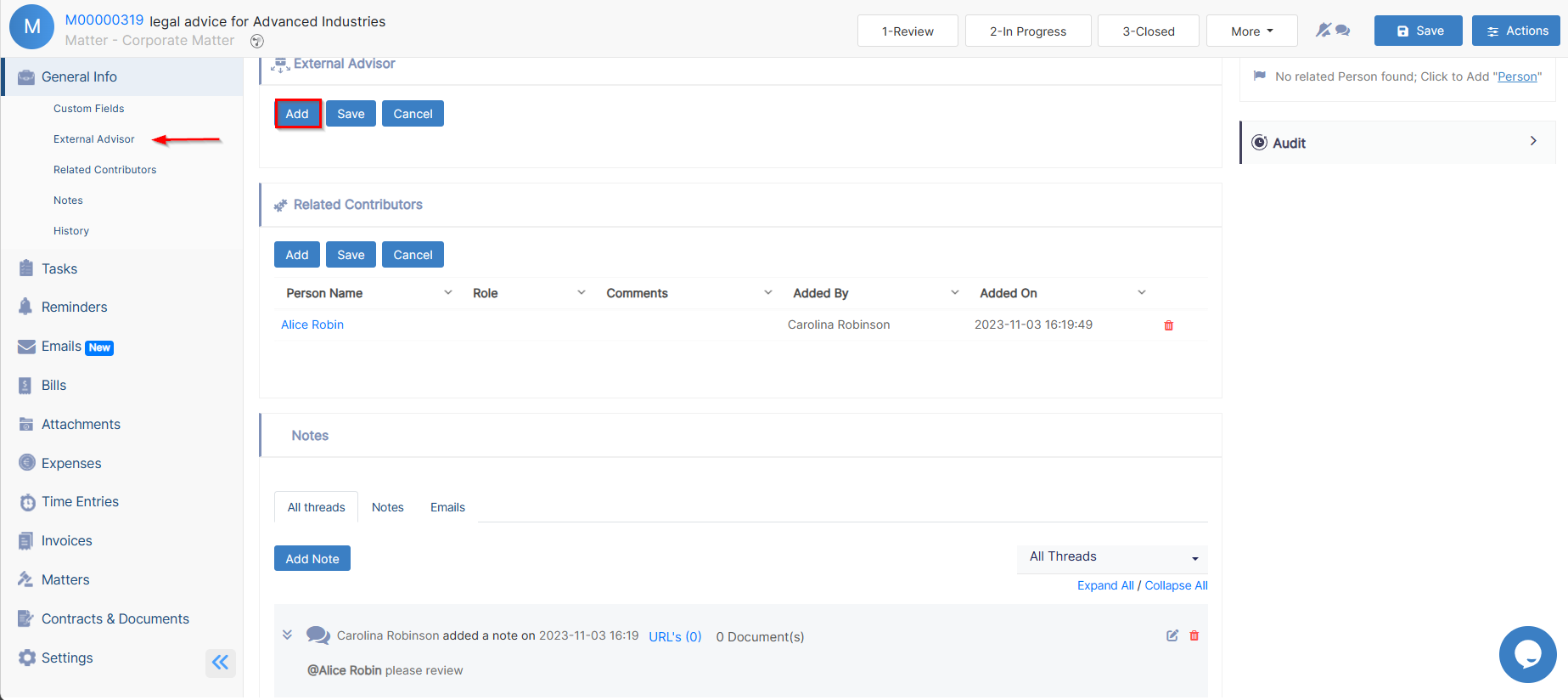
- Specify the company name, (the system will show you all the related contacts in the External Advisor field and will let you know who are the licensed advisors.)
The licensed advisors are the ones who were added by the admin and given an advisor portal license, so they will receive notifications and have access to the advisor portal.

- Select the advisors to which you want to outsource this matter
- You also have the option to share the documents of this matter with the advisors and specify their Rate Per Hour if needed.
Both, you and the Advisor will receive an email notification for the assigned matter.

Litigation Cases could be outsourced in the same way as corporate matters.
The advisor will access then his matters/cases from the advisor portal, he can start collaborating, add his own tasks, change litigation stages, and add hearings, and time logs.
Upon enabling the share documents option, all documents related to a matter will automatically appear in the Advisor Portal. However, users can also manage which files they want to hide from the Advisor Portal from the matter's attachments page.

For more information about LEXZUR, kindly reach out to us at help@lexzur.com.
Thank you!

This page has no comments.