


Objectives
Steps
In order to use Sayen as a signature method in Contra, you must follow some steps:
Enable the Sayen Signature Workflow:
- Open the Navigation menu and choose Marketplace

- Within Lexzur's Marketplace, open the Find new apps page

- Search for Sayen
- Activate it by clicking on the "Get now" button to obtain it for free.
To use the signature within the system, a valid subscription with Sayen, separate from Lexzur, is required.

Initiate the Signature Workflow:
- After successful activation, you can choose Sayen workflow within the signature center of contracts.
- Open the Contracts grid and click on the contract ID or Name to open its page
- To initiate the signing process using Sayen, navigate to the signature center of a contract and select the Sayen workflow.

Make sure to set the selected document as "To Be Signed" from the Attachments tab
- Click to get started

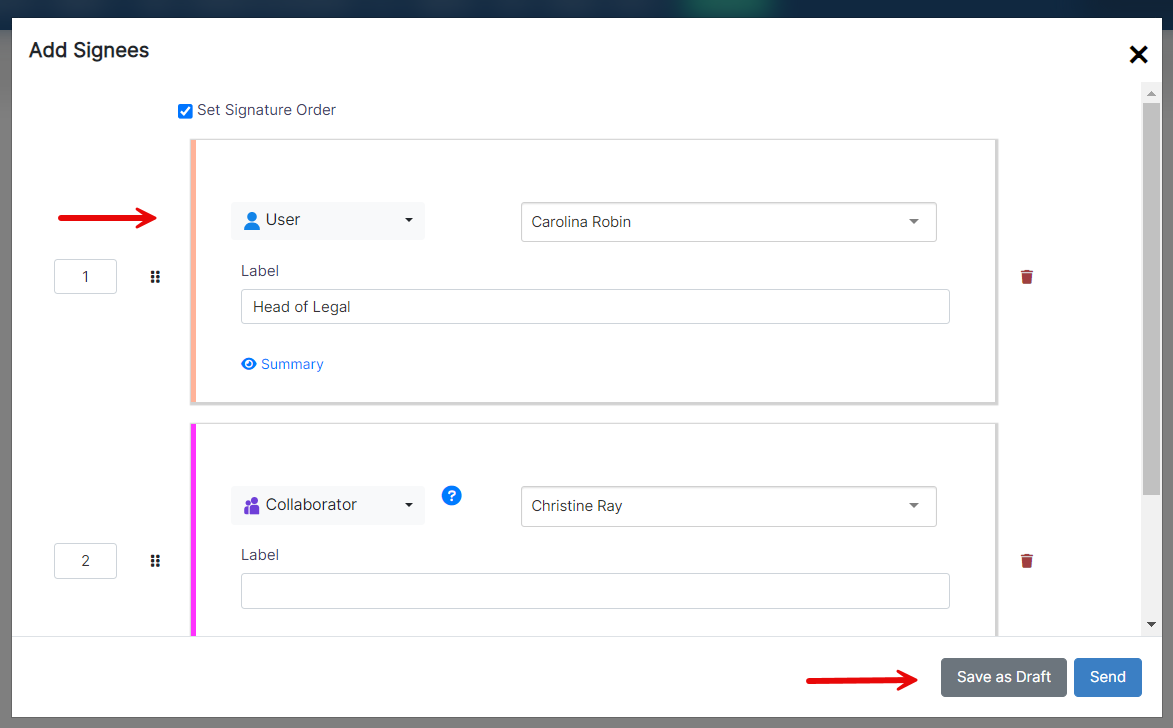
- Then add signees. (Signees could be users, collaborators, or other individuals. Therefore, specify the type, and the signee name, and add a signature label if needed.)
- After adding the signees, click to send.
- The document will now be generated in Sayen.
- Prepare the documents for signing by clicking on each signee's name and drag-and-drop to add the corresponding Signature Box.
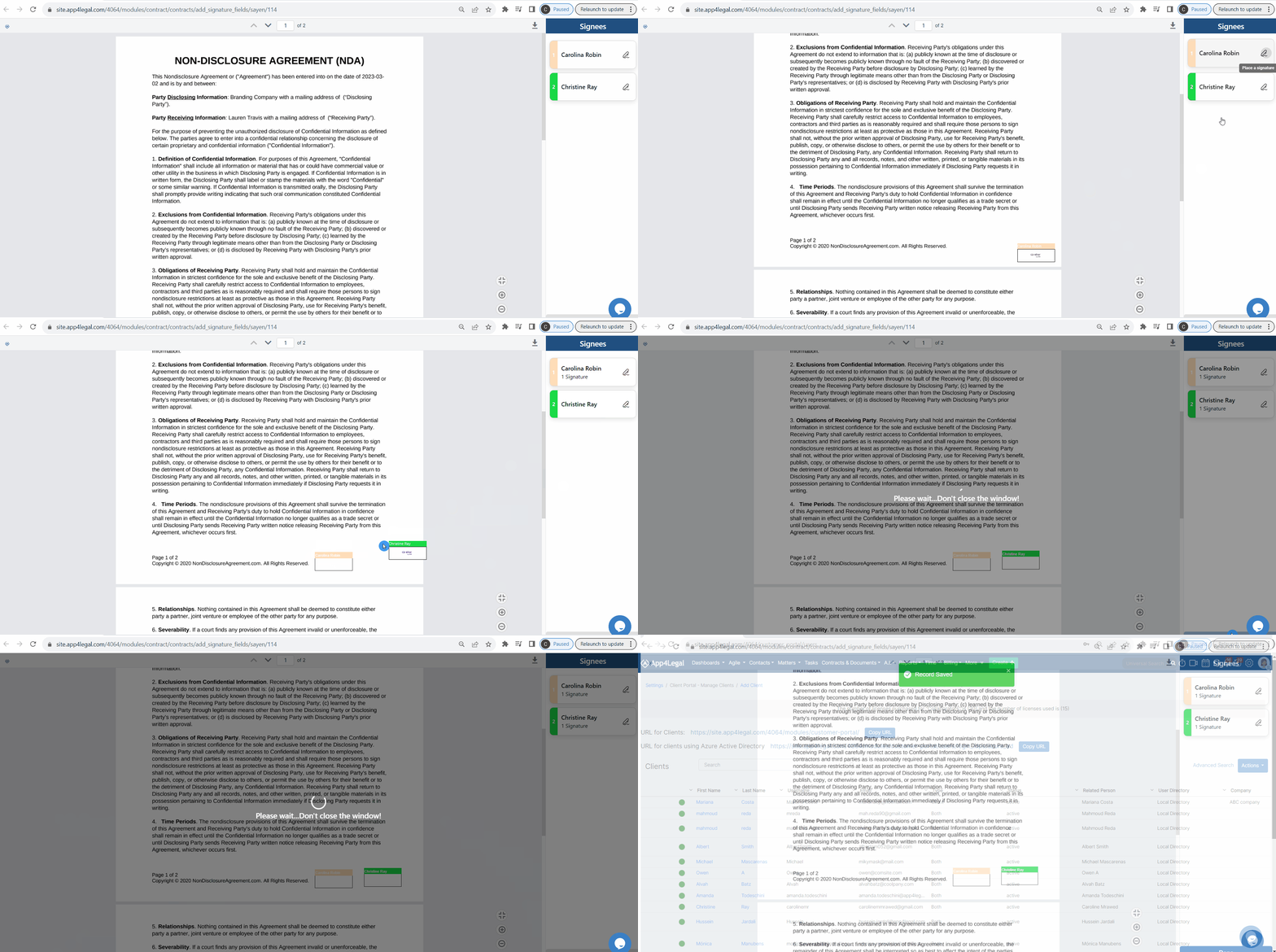
- Upon setting the signature fields, an email notification will be sent to the first signee(s).
Sign the Contract:
- When the contract awaits your signature, you'll be notified by email.
- Users can sign also from the signature center of the contract.
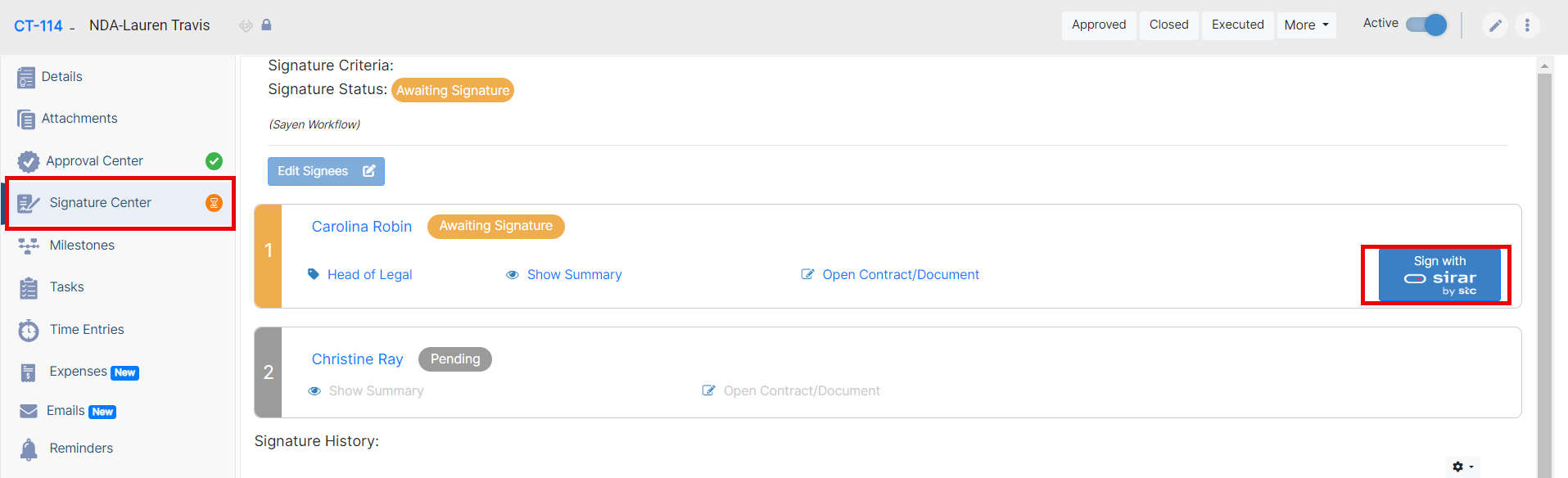
- Click to Sign with Sirar
- The document will open in Sayen, prompting users to start the signature process.
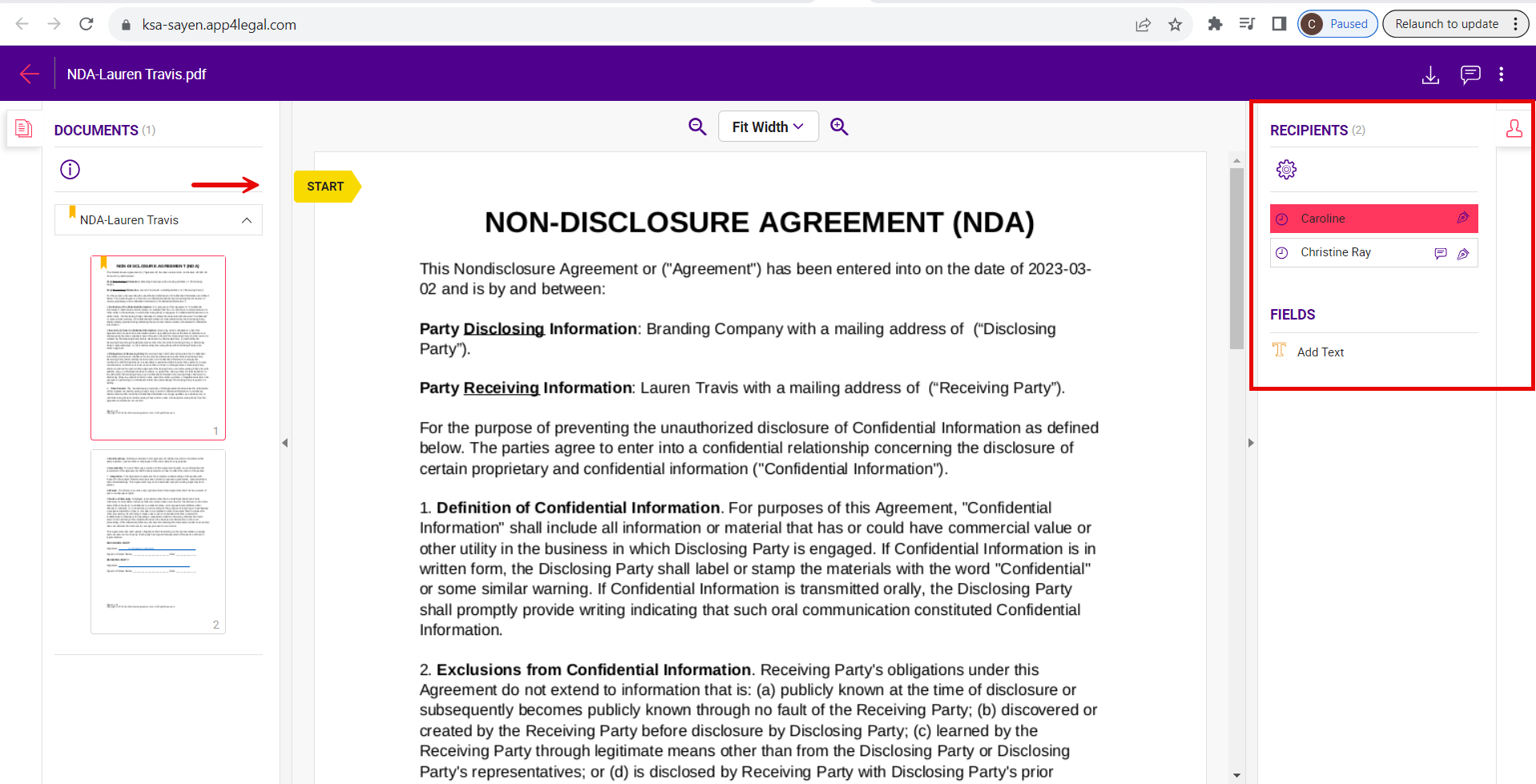
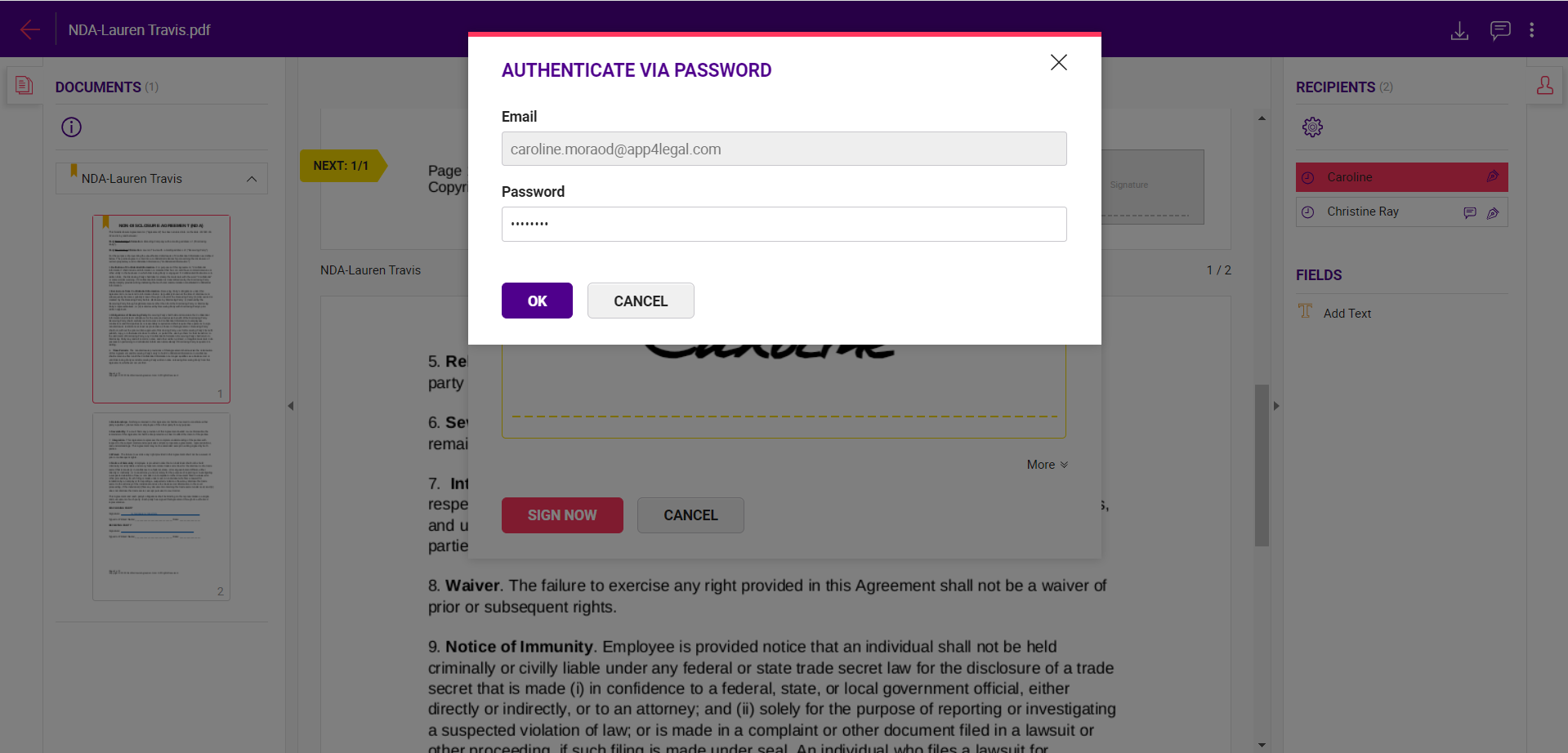
- Follow the directed steps to sign, authenticate your account, and log in to your Sayen account.
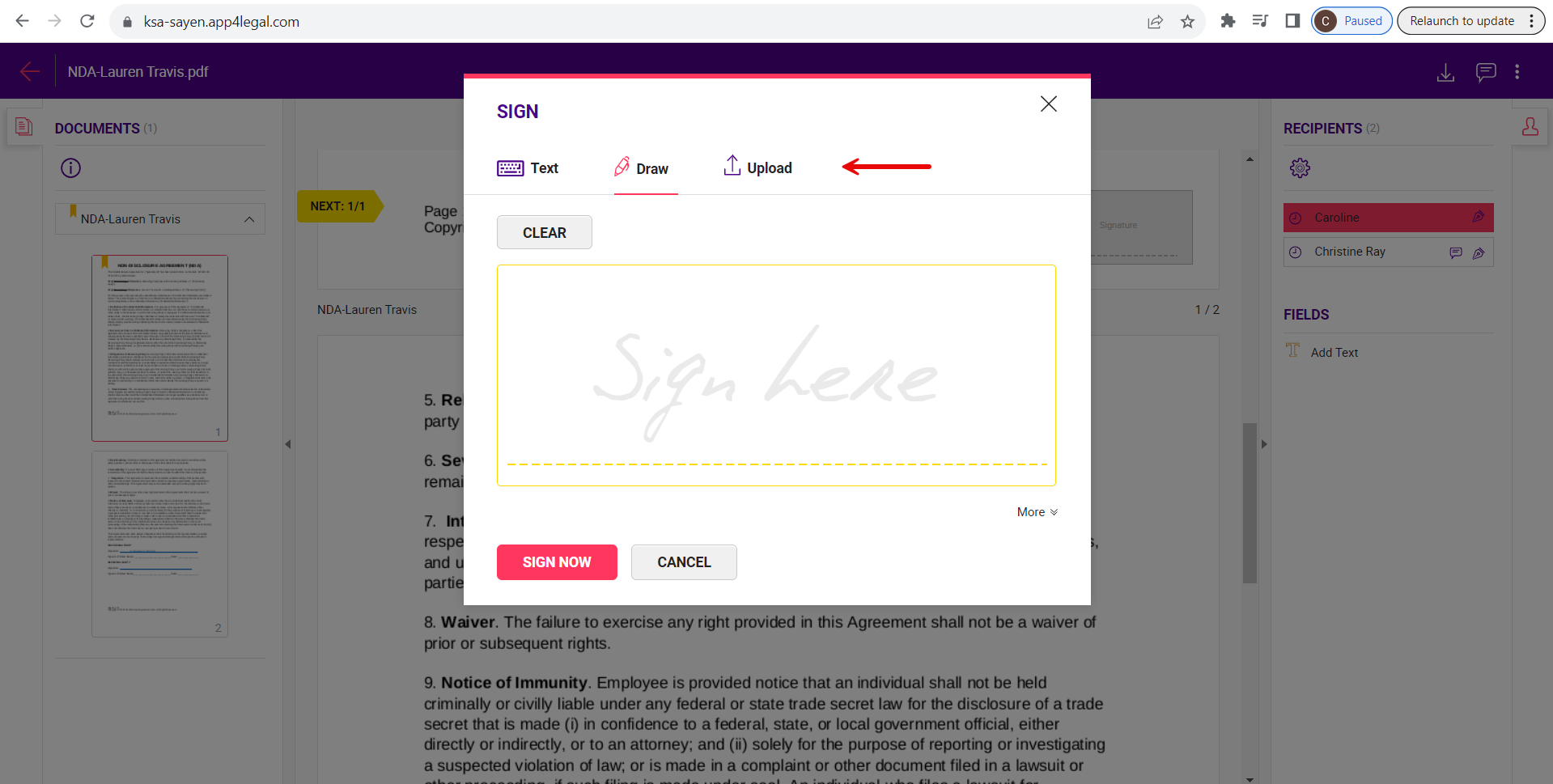
- You have the option to draw or upload your signature.
- Once completed, click on Close. Subsequent signees will follow a similar process.
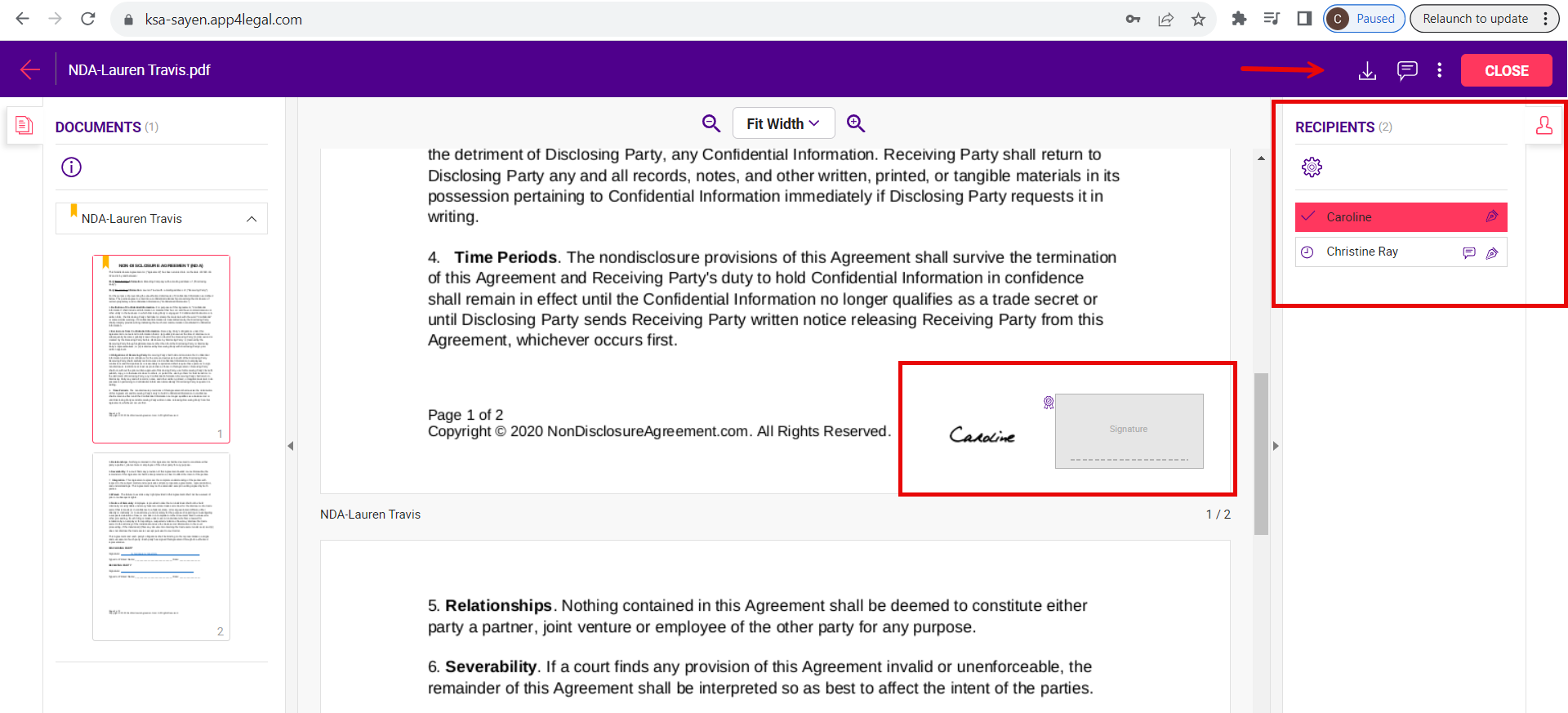
- Once signed, the contract will be retrieved easily from the contract's attachment tab.
For more information about LEXZUR, kindly reach out to us at help@lexzur.com.
Thank you!

This page has no comments.