


Objectives:
- Create personalized reports using the Report Builder
Steps:
Lexzur gives users the flexibility to build fully customized reports tailored to their specific needs. You can select the data you want, choose and reorder columns, apply advanced filters, and save your reports for future use or team sharing.
Access the Report Builder
Navigate to the Reports & Dashboards module from the main menu.

On the Reports page, click "Create New Report" at the top right.
Alternatively, go to Reports → Build Your Report from the main menu.

Build the Report
From the left-side panel, select the items (fields) you want to include in your report — such as Matter ID, Name, Assignee, Practice Area, and more.
Both system and custom fields are available. Click the plus icon to add fields.
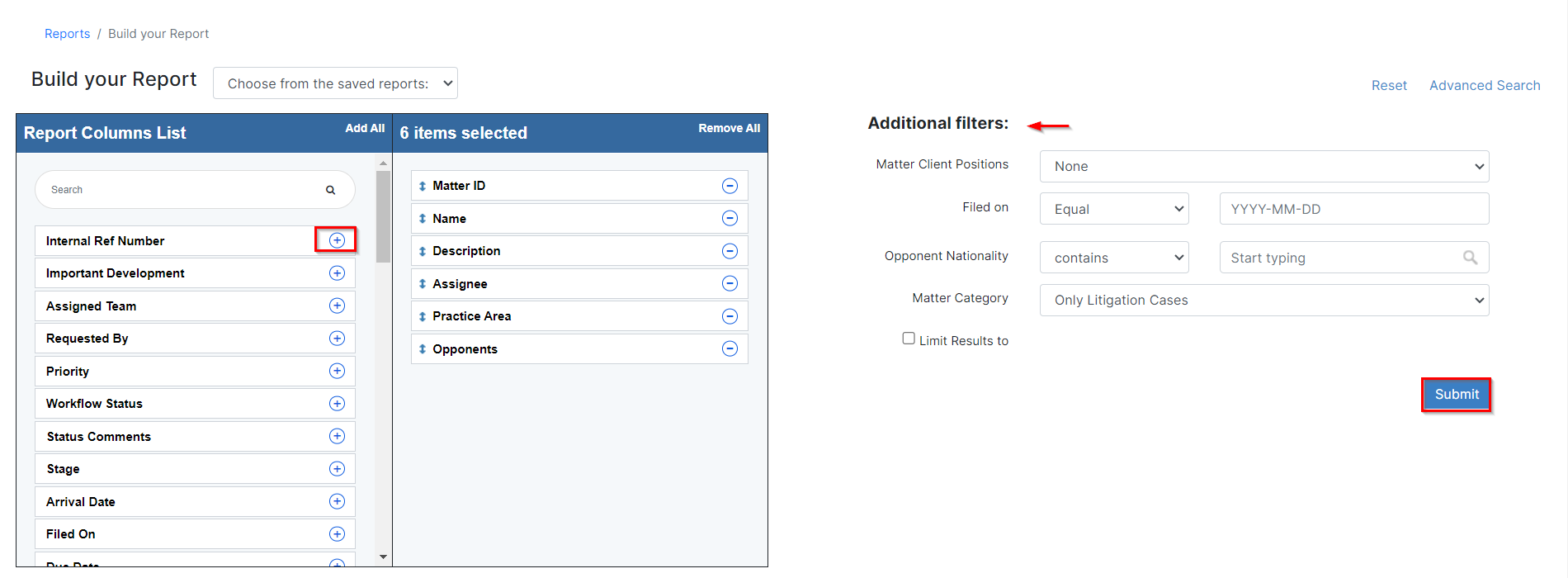
Customize Column Order
After adding the fields, you can reorder them by clicking and dragging each one to your preferred position.

Apply Filters
Use the filters on the right-hand panel or click Advanced Search to apply more specific conditions based on any available field.

Once your filters are set, click Submit to generate the report.

Your results will appear below, displaying the customized layout and filtered data.
Export & Save
You can export your report results in Excel or PDF format.

- Save the report under a custom name for future access.
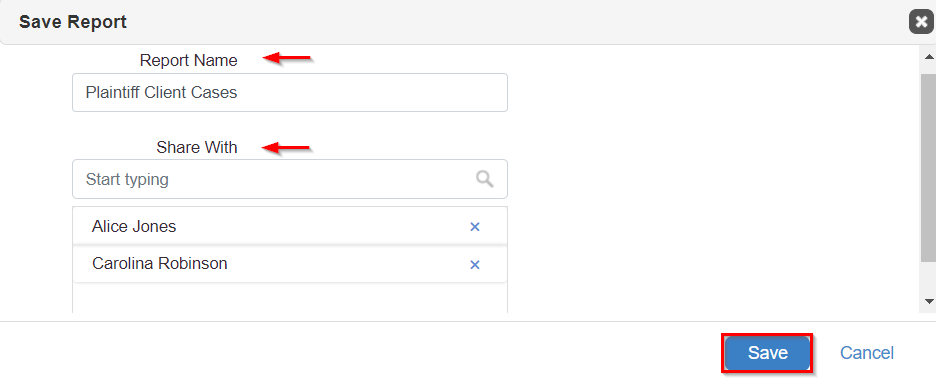
- And you can share saved reports with selected team members so they can view or run the same report.
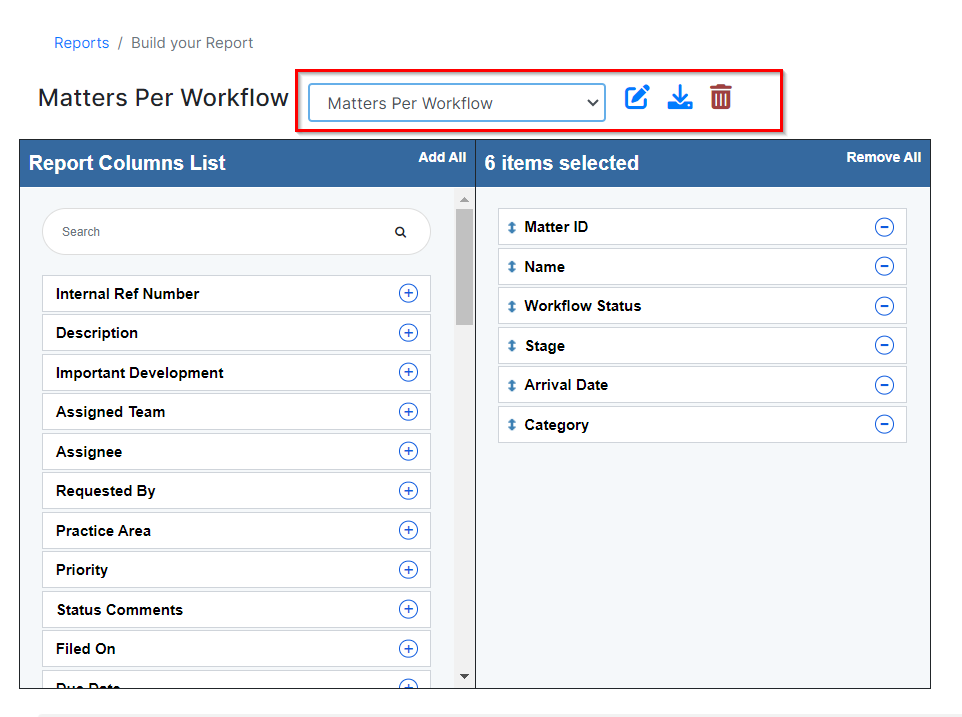
- Saved reports are stored under the Matter category on the main Reports page.

- Simply select your report from the saved list to update, rerun, or export it again as needed.
- Saved reports can be edited or deleted at any time.
For more information about LEXZUR, kindly reach out to us at help@lexzur.com.
Thank you!

This page has no comments.