


Objectives
- Generate Financial Reports
Steps
The Billing module includes a number of predefined reports that will make tracking your finances easier.
- Open the Billing Module from the navigation menu:


- You’ll be directed to a centralized page containing all predefined reports, organized by— Expenses, Matters, Accounts Receivable, Payable, and more.
Click on a report category to expand and view all related reports.
Use the search bar to quickly find a report by name.
- You can click the star icon next to any report to mark it as a favorite. All favorited reports will then appear together in the first section for easy access.

Hover over any report title to view its description and better understand its purpose before selecting it.

To generate a report:
Click on the report name.
Use the filter panel to apply the desired filters (e.g., date range, matter name, entity, etc..).
Click Run Report to generate the results.
Export your report using the gear icon at the top right. Export formats vary depending on the report (Excel, Word or PDF).

Examples of Useful Reports:
Expenses:
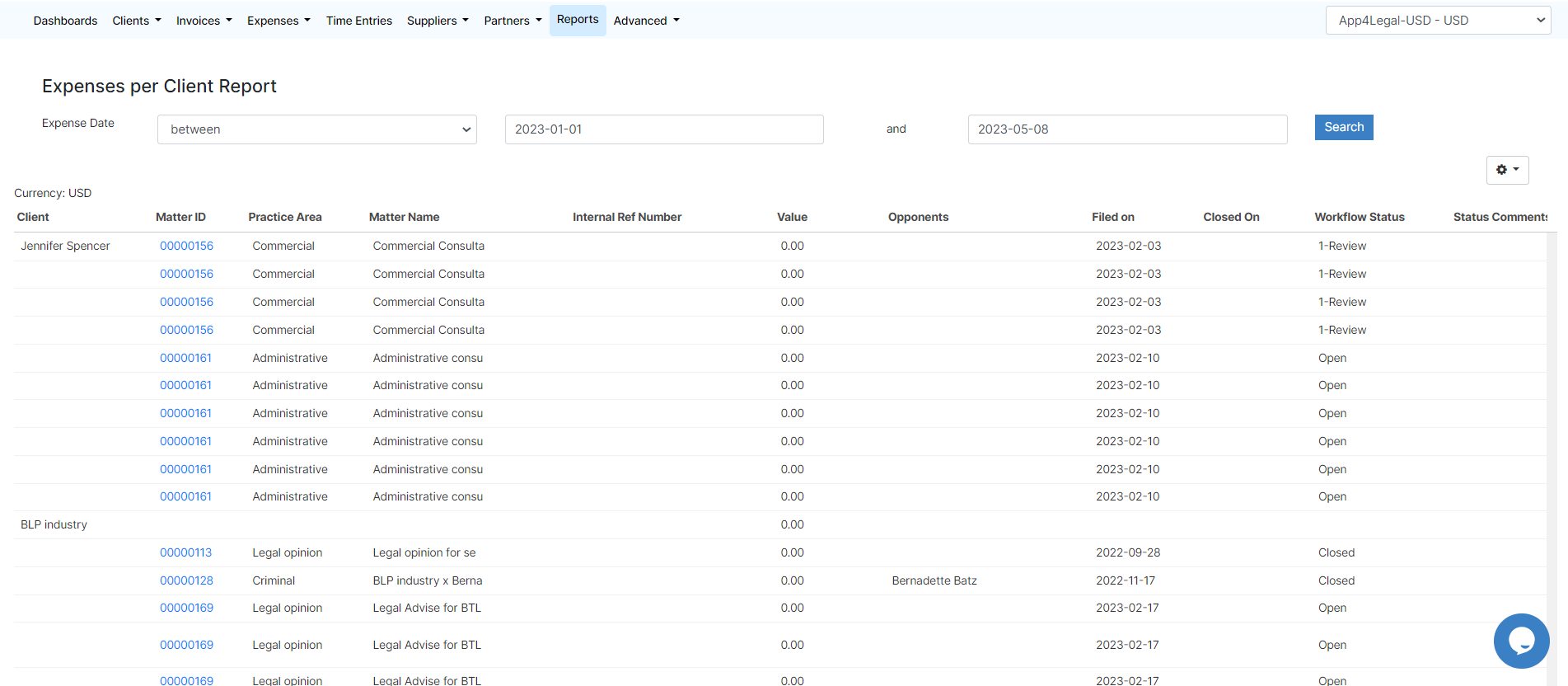
Expenses Reports include the Statement of Expenses and Expenses per Client Report, which shows the accumulated amount of the total expenses for each client.
 :
:
Accounts Receivable:
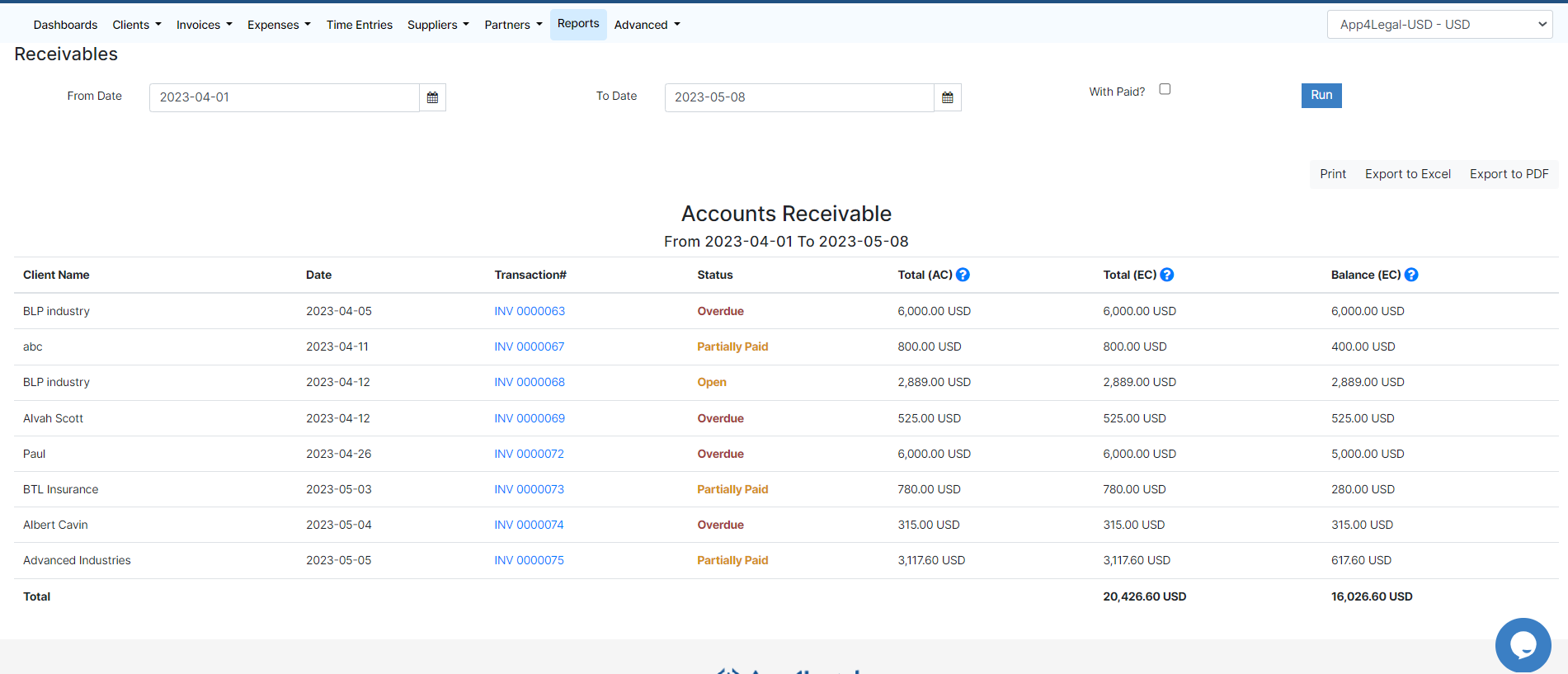
The account receivable report shows a list of transactions such as the invoices paid, partially paid, or overdue, filtered by date, with the corresponding details such as the client name, the total, and the balance amount of these transactions. Also, you can use the report aging by the invoice date or due date.
Accounts Payable:
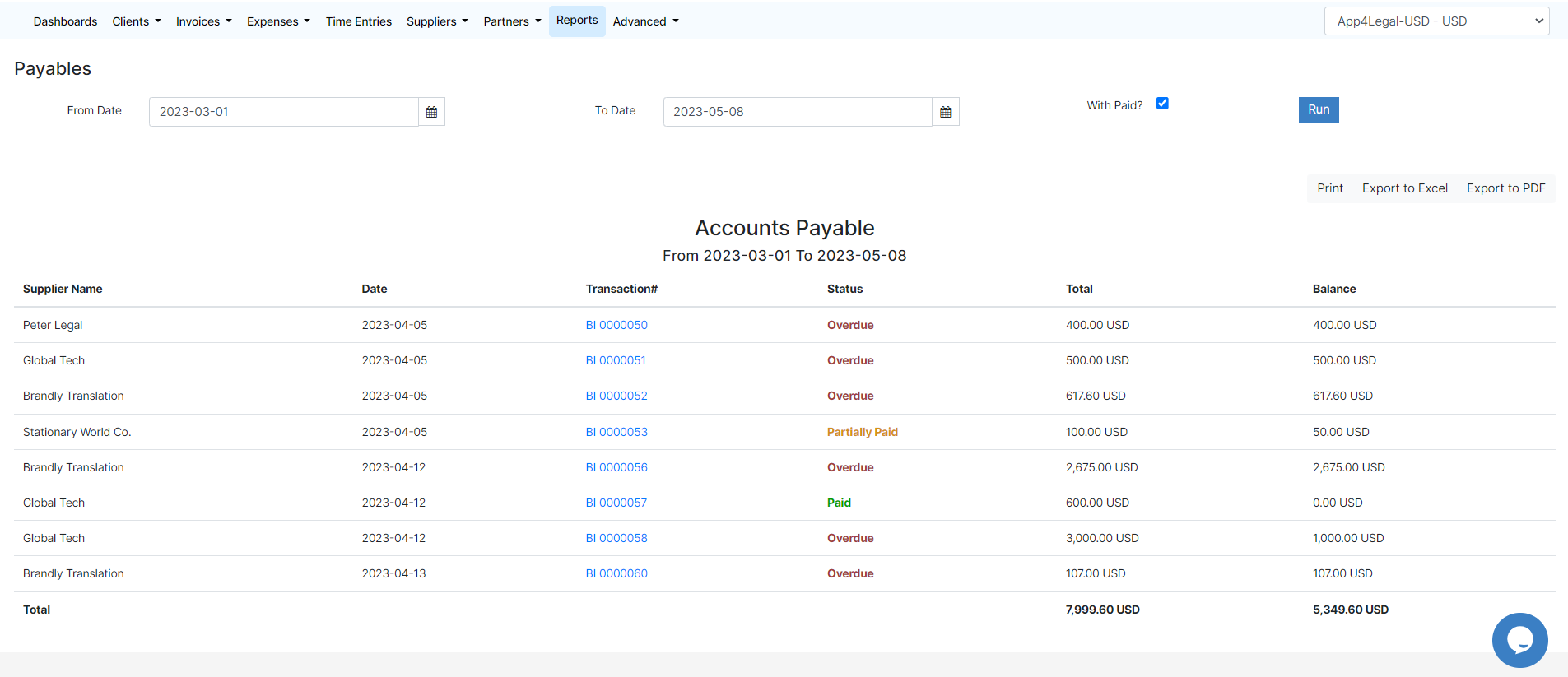
The account payable report shows a list of Bills paid, partially paid, or overdue, filtered by date, with the corresponding details such as the supplier name, the total, and the balance amount of these transactions. Also, you can use the report aging by the bill date or due date.
Statement:
Under the Statement section, you can find a list of important reports such as:
- Account Statement This report gives the Account Statement of any chosen account, filtered by date, account name, and currency.
- Trial balance: The purpose of a trial balance is to ensure that all entries made are properly balanced. The total amount of the debits and credits in each accounting entry are supposed to match.
- Balance Sheet: The balance sheet report is a financial statement that reports a company's assets, liabilities, and stockholders’ equity for a specific period.
- Income Statement: The income statement reports a business’s revenues, expenses, and overall profit or loss for a specific period of time.
- General Ledger: The General Ledger report shows you all the financial activity for your business. The General Ledger is made up of a chart of accounts with the debit, credit, and balance of these accounts.
- Vat Audit: This report is available when E-invoicing is activated. This report shows data related to the transactions that happened with their details like the client name, type, tax amount, etc.

Matters:
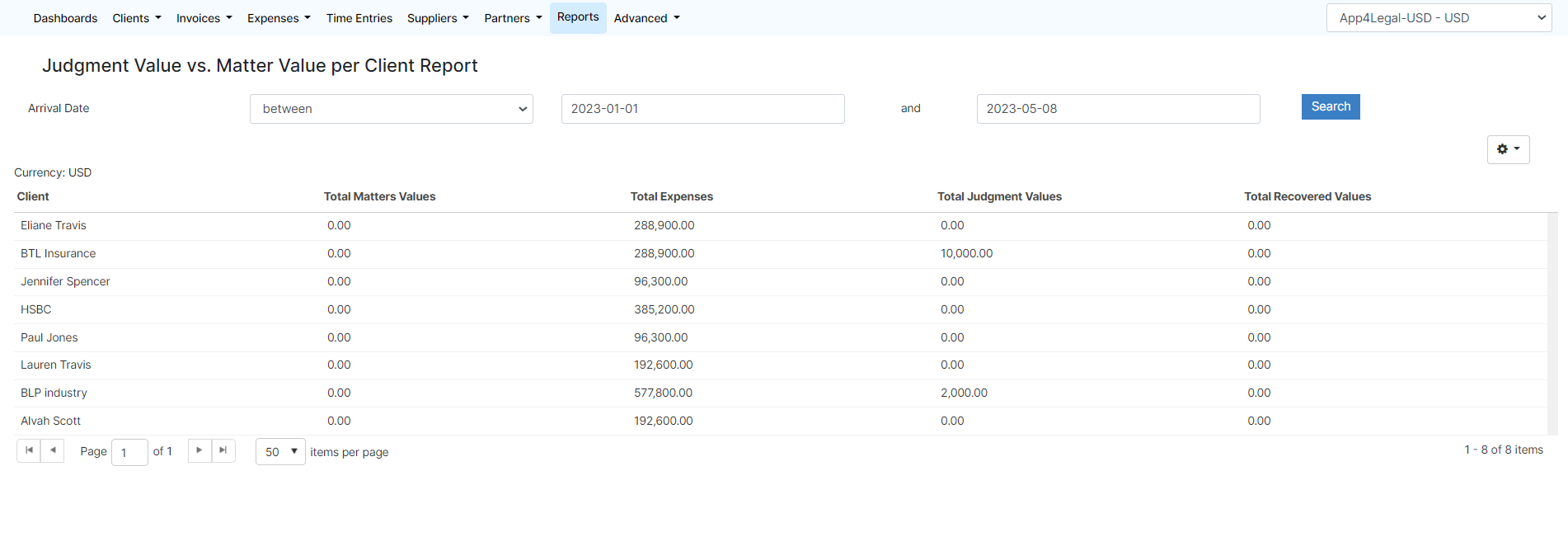
Matter-related reports include the Judgment Value vs. Matter Value per Client report, which shows the accumulated amounts of Matter Values, Total Expenses, Total Judgment, and Total Recovered for each client. In addition to the Work in Progress report that shows all the un-invoiced time entries, expenses, or bill items, and time logs per month and the profitability assessment report as well.
Learn more about Matter-Related billing reports here.
Bank:
The Bank reconciliation report matches the balances in the entity's accounting record for a cash/bank account to the corresponding information on a bank statement.
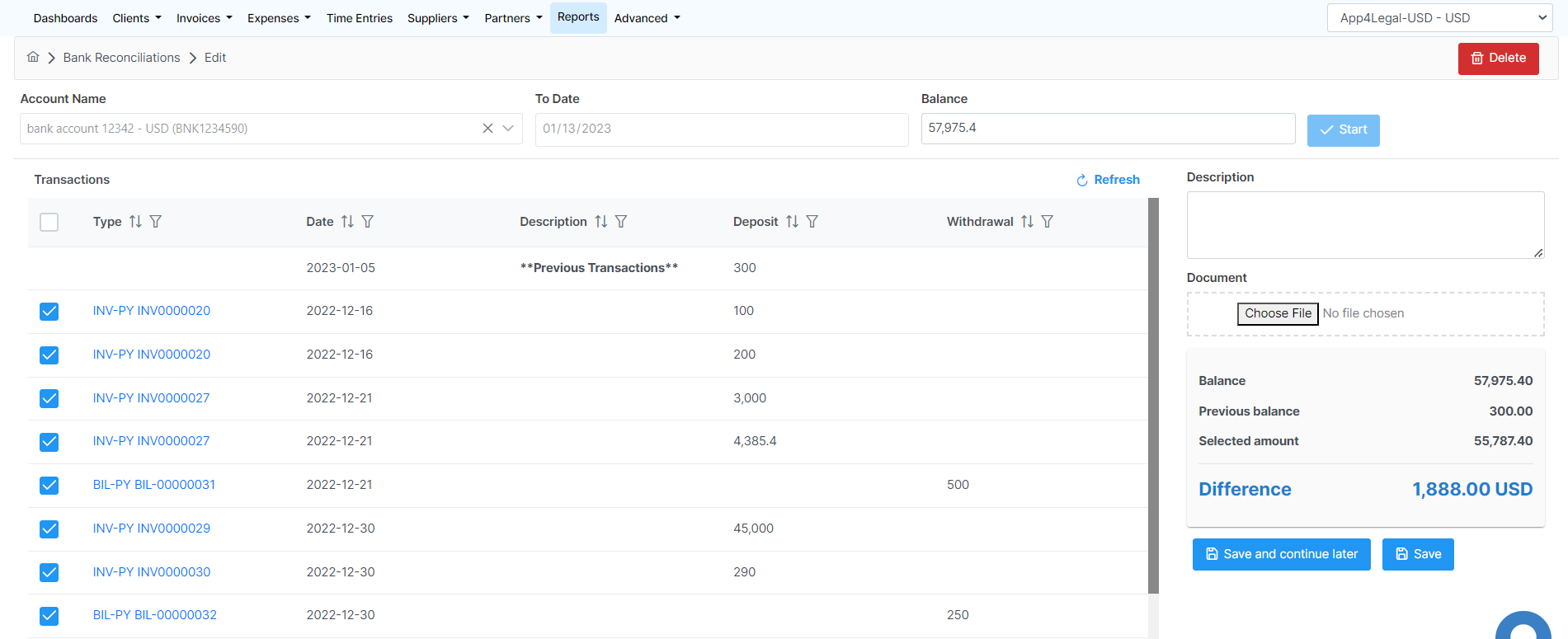
Learn more about Bank Reconciliation Report here.
For more information about LEXZUR, kindly reach out to us at help@Lexzur.com.
Thank you!

This page has no comments.