


Objectives
- Insert a new Corporate Matter
- Search for Matters and Filter the Grid
- Capture and manage Corporate Matter’s details
Steps
Lexzur enables you to efficiently manage Corporate Matters throughout their entire lifecycle using a smart, agile workspace. Collaborate with internal and external stakeholders, track legal deadlines, and automate reminders—delivered as in-system notifications or emails.
Adding New Corporate Matters:
Open the Practice Module from the main navigation menu.

To add a new Corporate Matter, click the Create button in the top menu and select Corporate Matter from the list.

Filling in Matter Details:
When creating a Corporate Matter, make sure to provide the following required fields:
Matter Name
Practice Area
Arrival Date
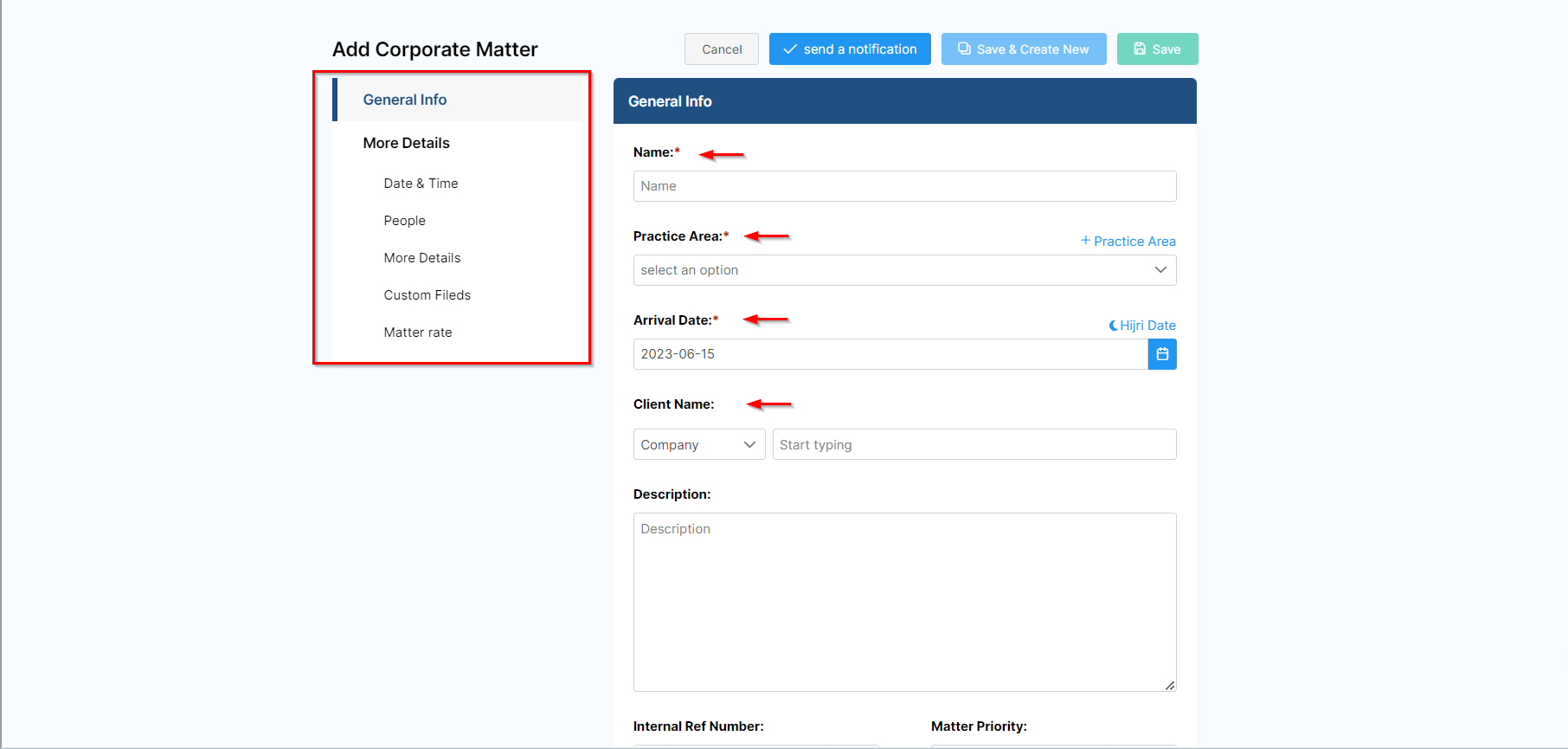
You can also complete optional fields to better organize and manage the matter: Client Name, Dates, Assignee, Privacy, etc...
You can now track and manage all your corporate matters from one grid. From the main menu choose Corporate Matters to open the grid.

Searching for Matters:
Start by using the advanced filters to search for a specific Corporate Matter based on your chosen criteria. Open the "All Filters" section and select the necessary criteria.
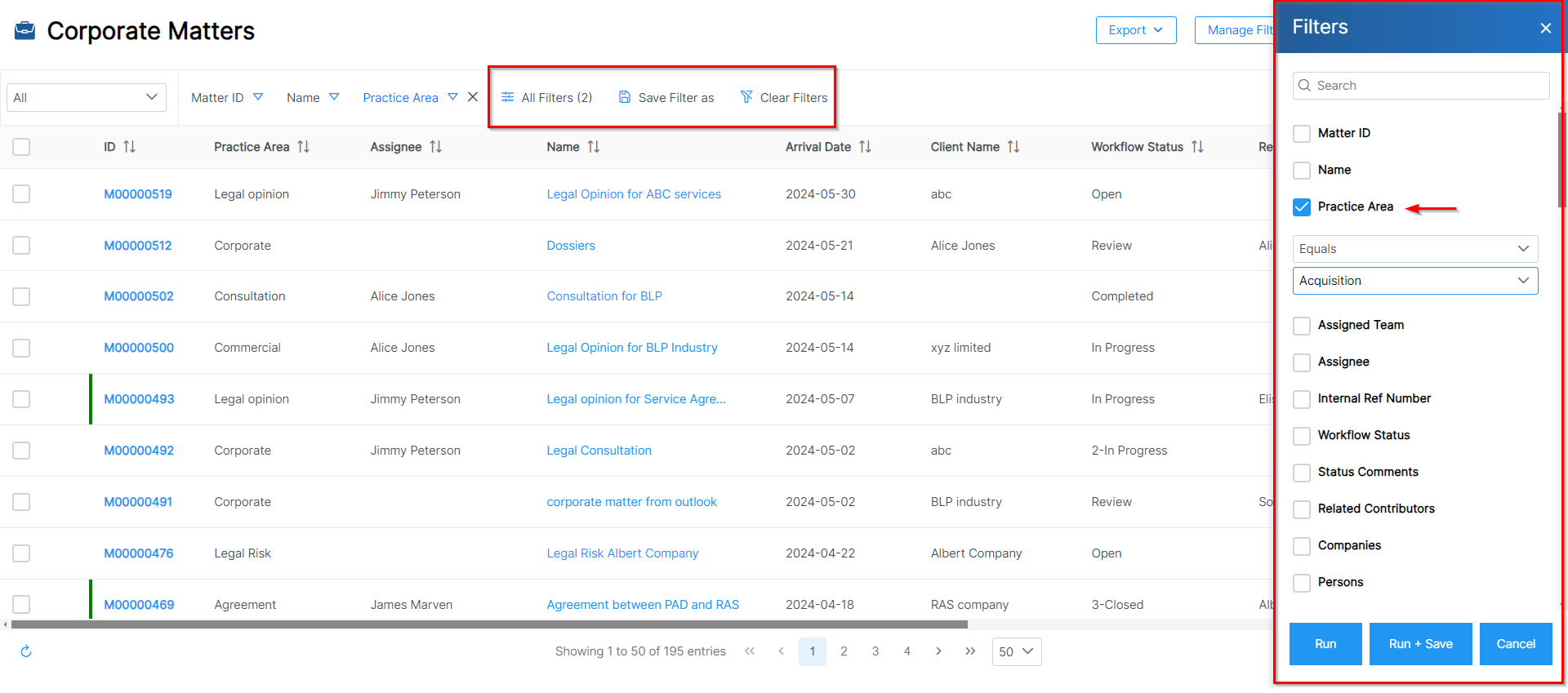
For example, you can search for Corporate Matters by practice area, assignee, client name, and more. You can also save filters from the grid as a new matter list page and clear filters with a single click.
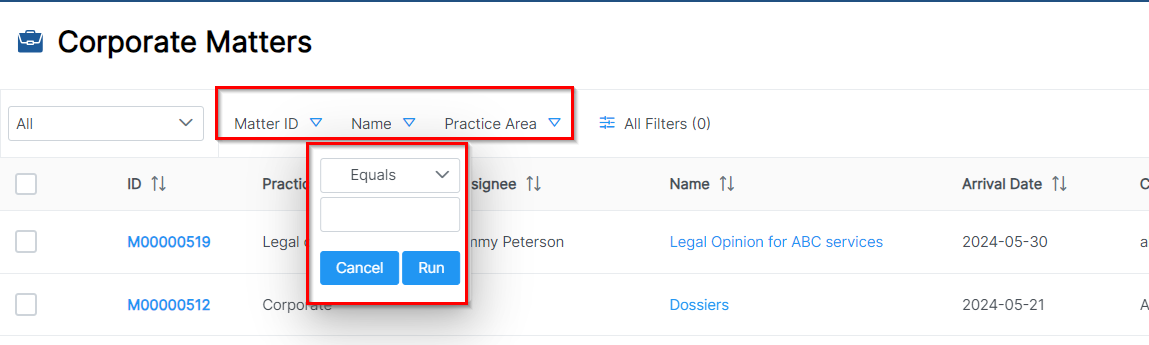
There are three filters available for direct use on the grid: matter ID, name, or practice area, enabling you to quickly find matters.
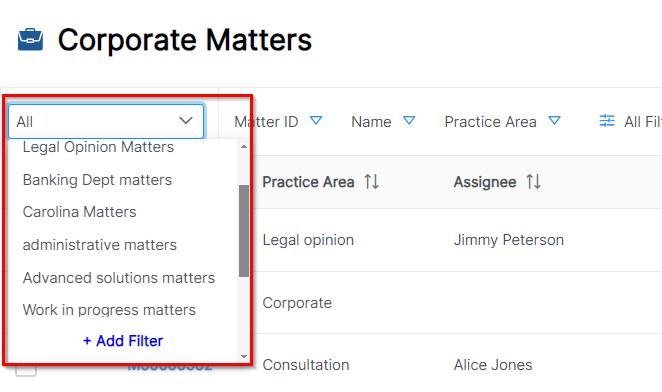
Saved filters will be added to the drop-down list, allowing you to easily select the matter list you wish to view.
In the top right corner of the page, you can export your results to an Excel sheet. You can also manage filters, add new matters, and use tools to archive and change assignees.

Matters Detailed Page:
Now, to go further with additional modifications, click on the Matter’s name or ID to open its page.
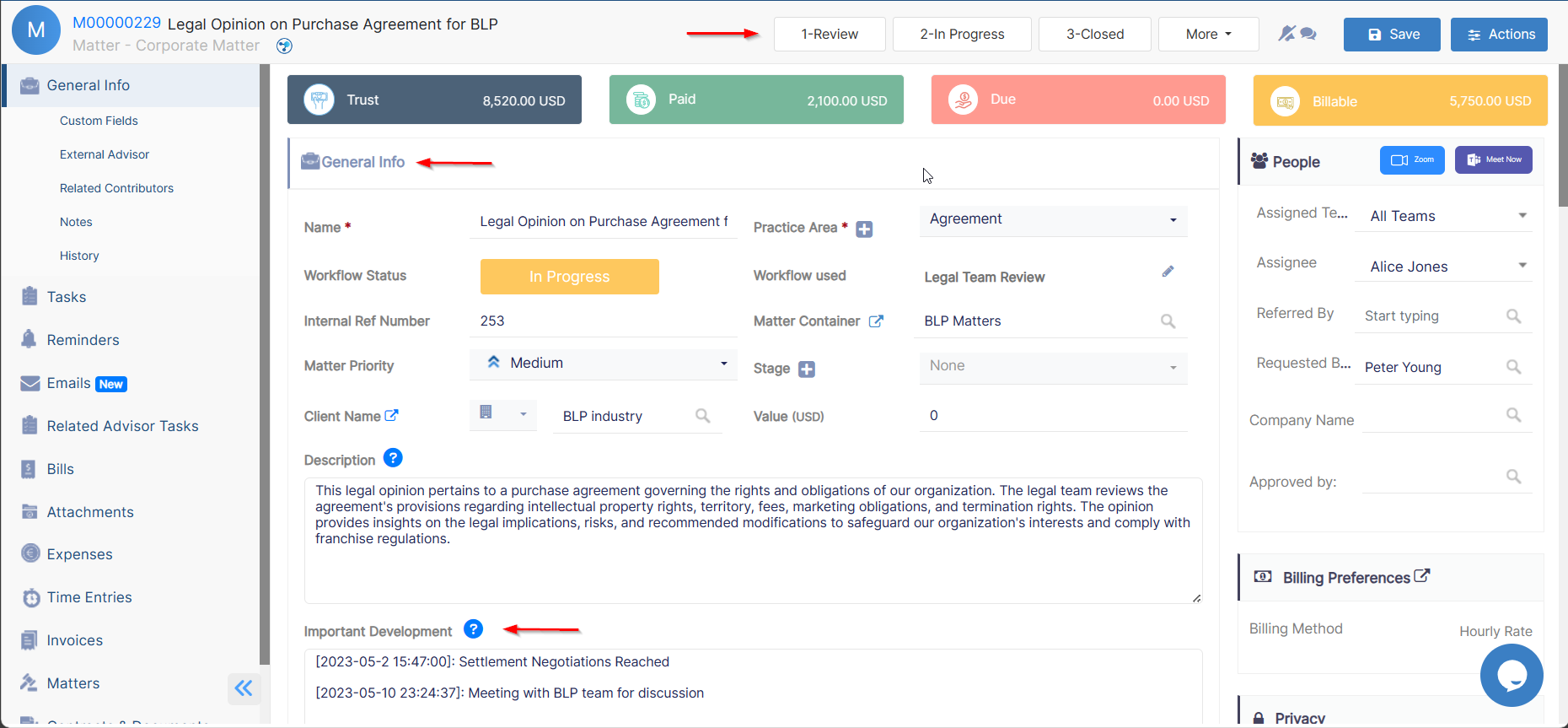
The General Info Tab allows you to add details or modify existing information, update workflow statuses, and record any important developments or updates.
For efficient collaboration, you can outsource this matter to external Legal Practitioners, and mention the contributors working on the matter if any.
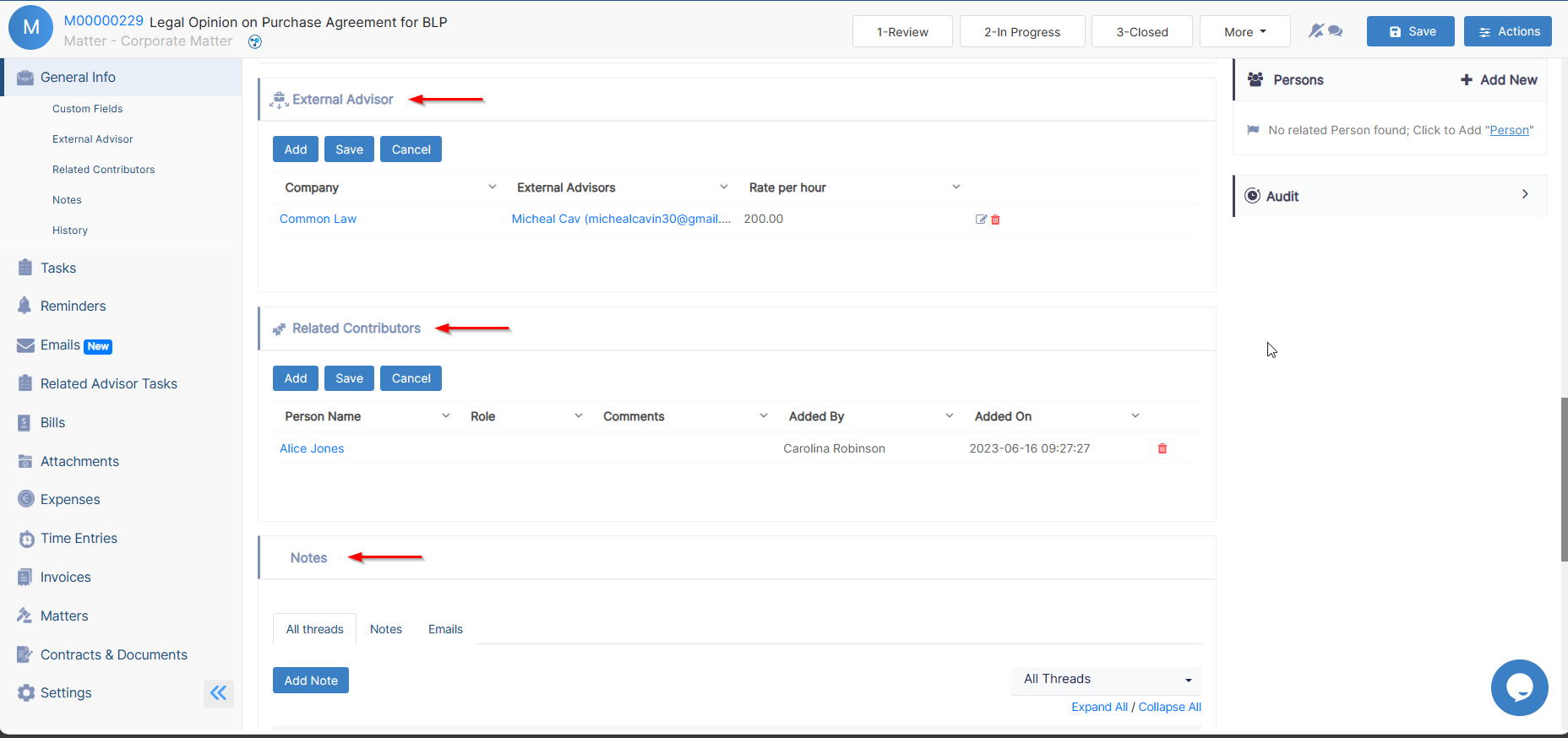
In addition, take note of all the noteworthy updates related to this matter. You can also log emails with attachments as matter notes using Outlook or Gmail Connect.
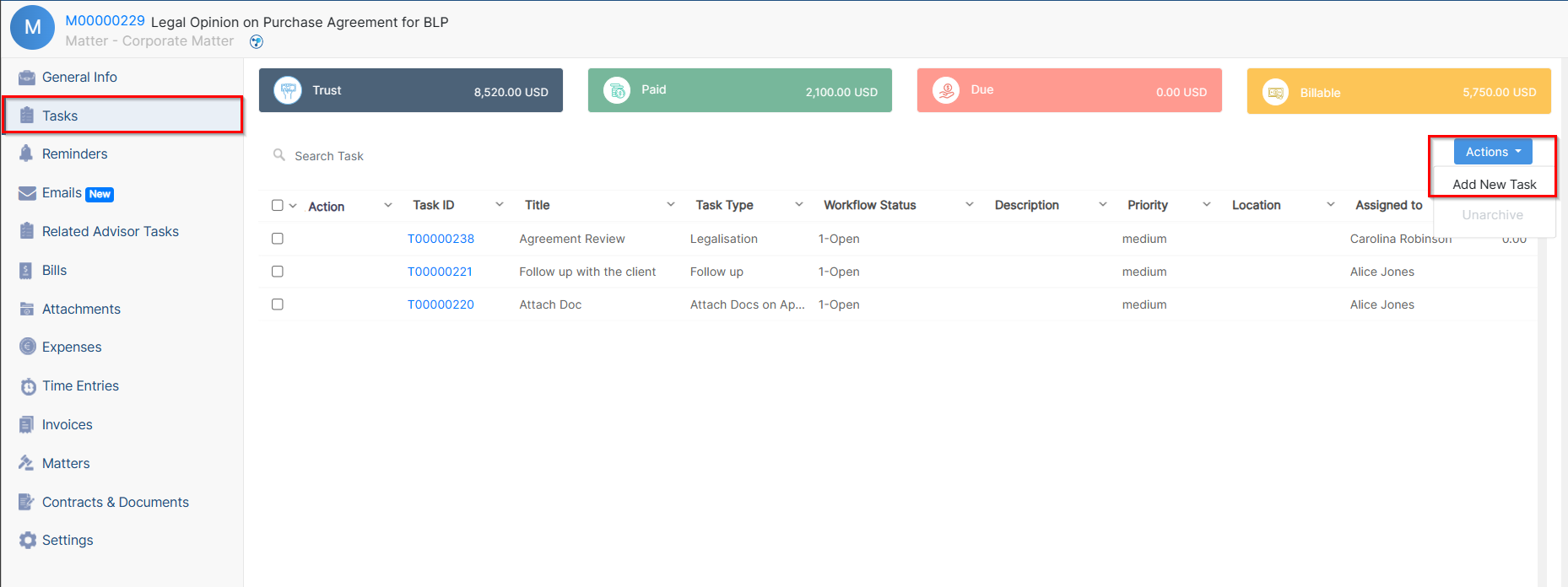
Assign tasks and set reminders to your team when several people are working in parallel on the same matter. You can then track all the associated tasks and reminders within the current matter, along with all their details.
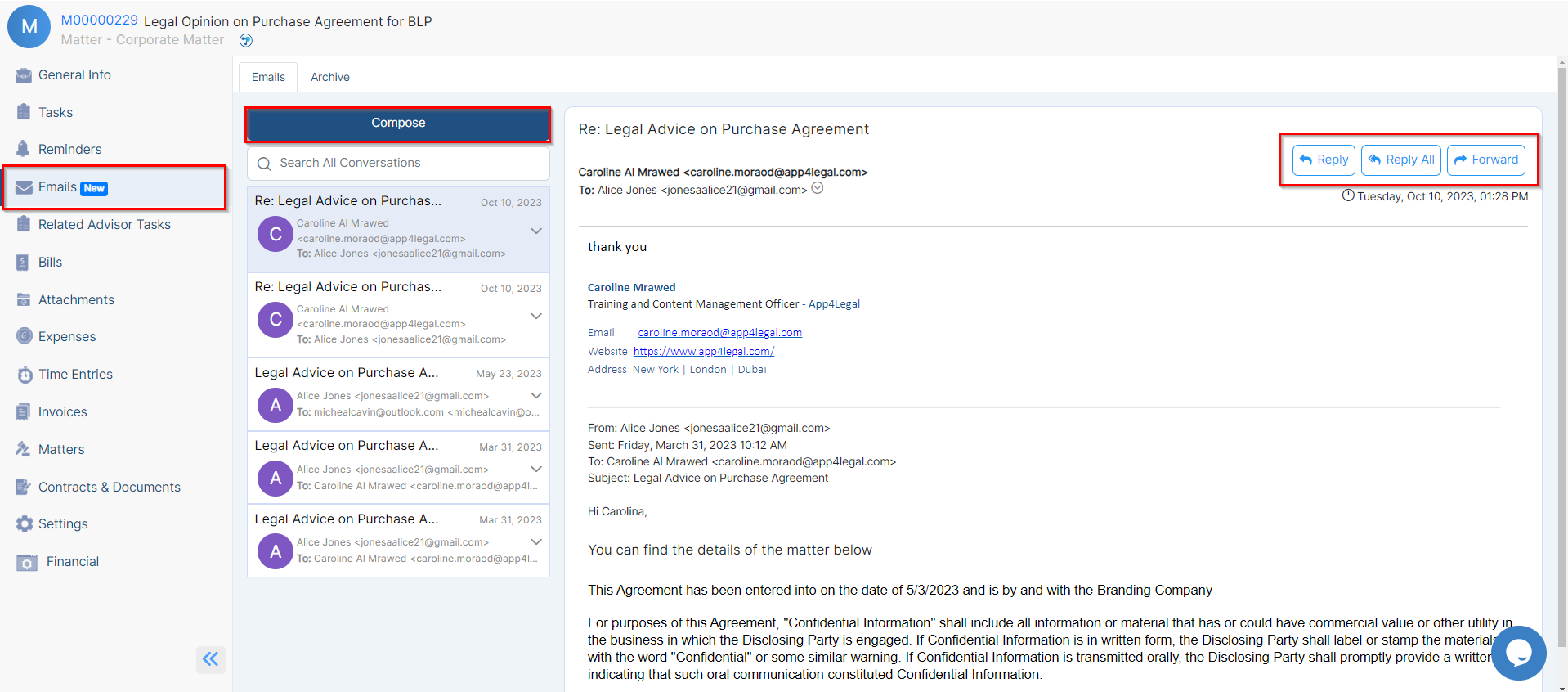
Furthermore, you can send your matter updates by email and track all the related email conversations.
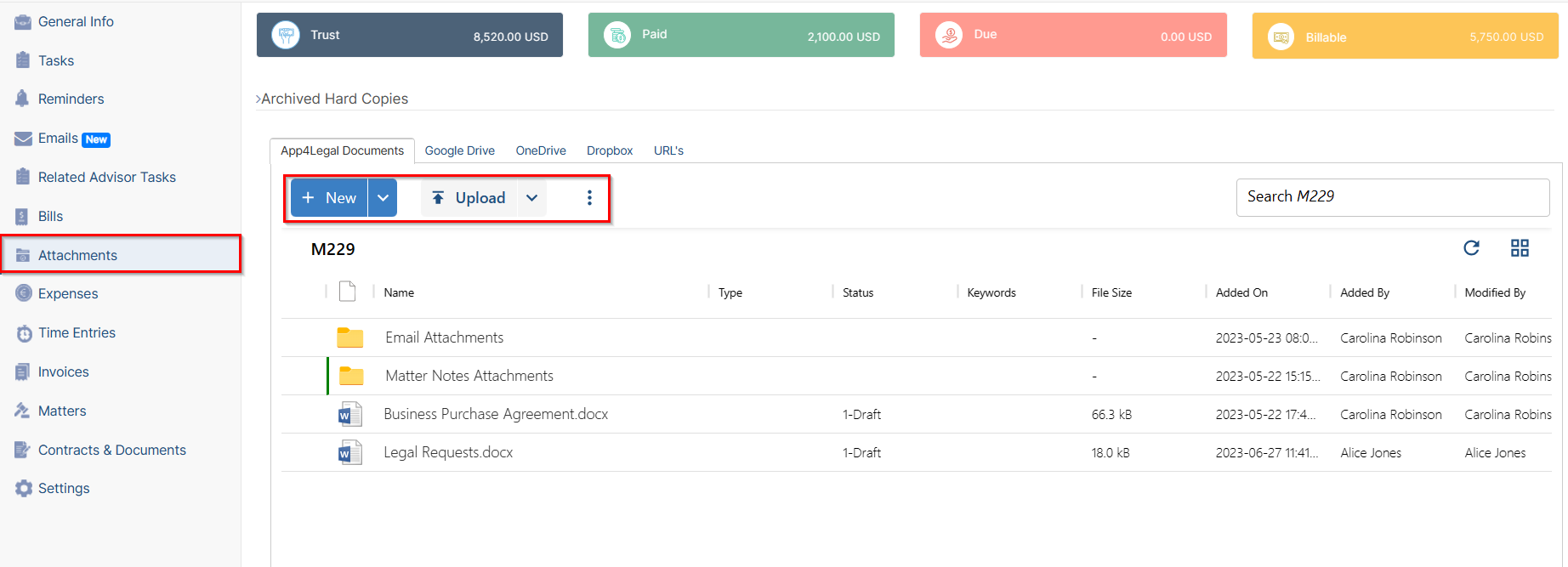
The Attachments Tab lets you organize folder structures and upload and manage documents related to this matter.
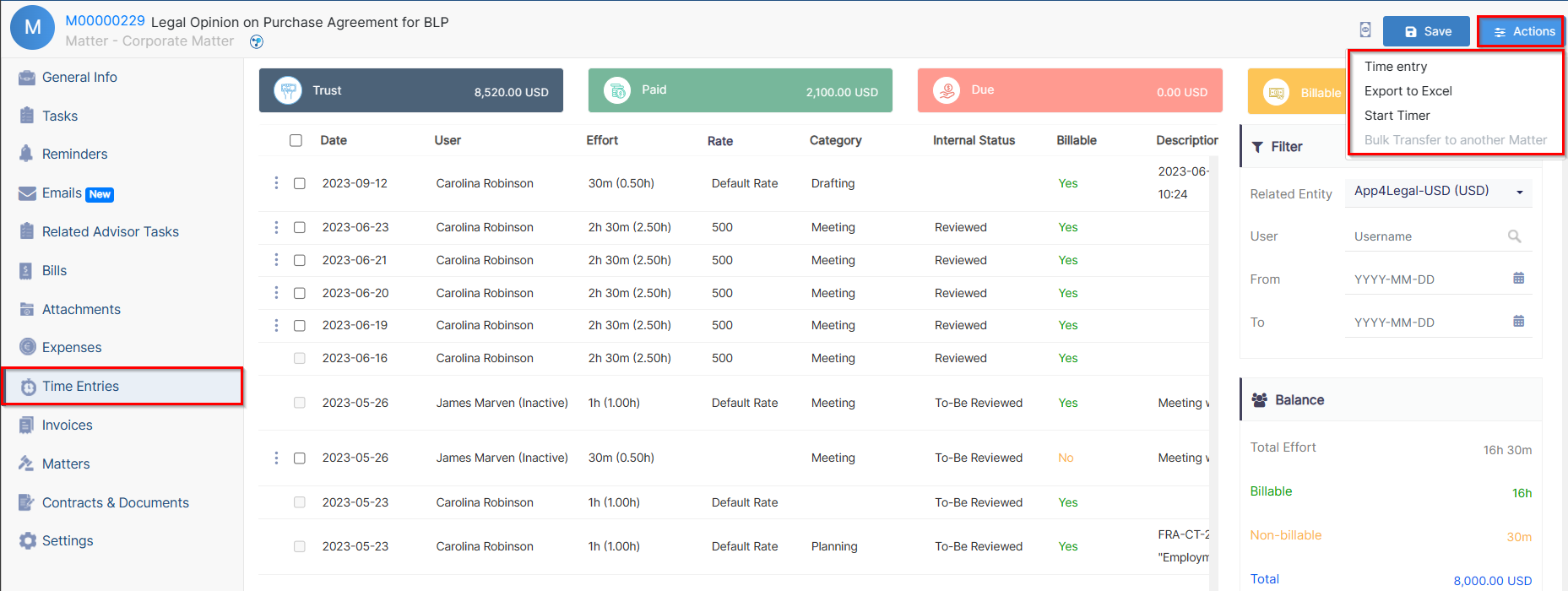
In addition, record expenses and time logs, so you can determine what to invoice later.
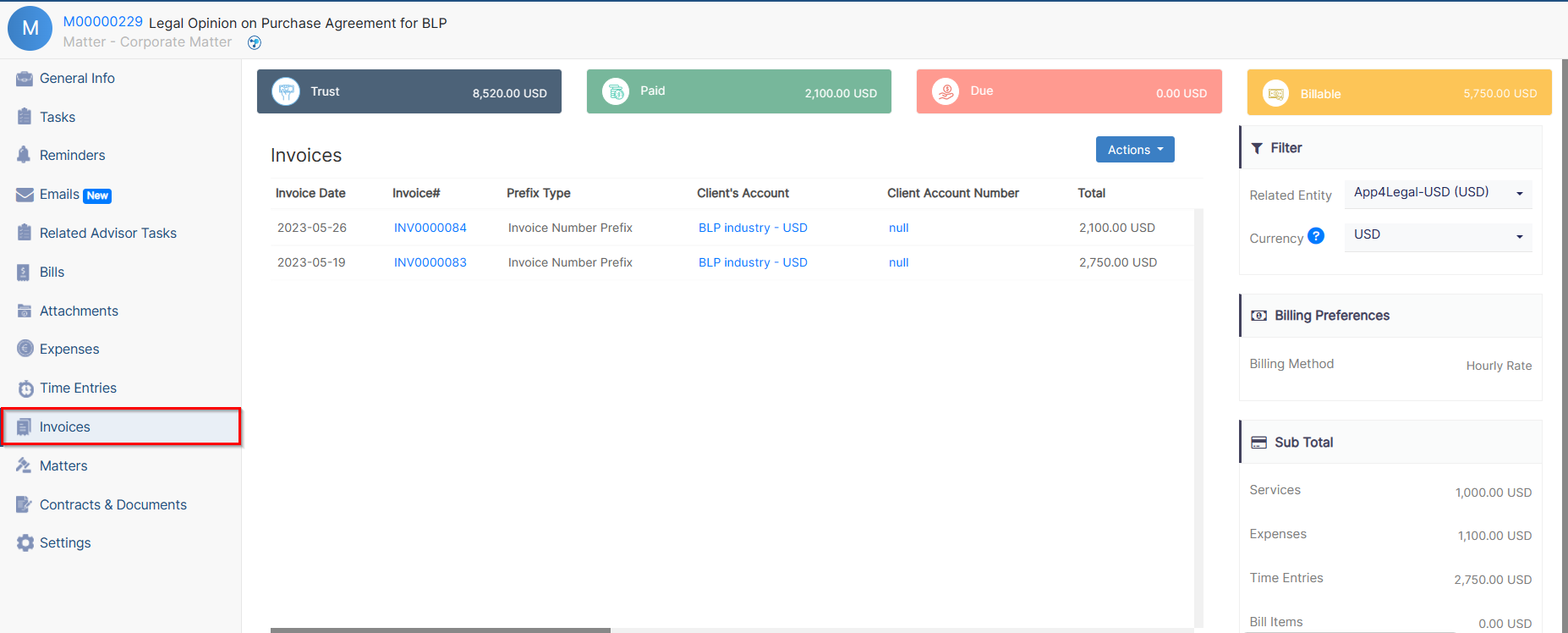
Moreover, you can check all the invoices related to this matter from the Invoices tab.
Last but not least, you can link a Matter to an existing Matter or Contract in Lexzur. You can also adjust the users' rates, matter rate, capping, partners’ percentage, and the billing preferences of this Corporate Matter from the Settings tab.
For more information about LEXZUR, kindly reach out to us at help@lexzur.com.
Thank you!

This page has no comments.