


Objectives
Steps
Archiving Tasks
Lexzur allows you to archive or hide tasks from the task board for better organization and focus.
To archive or hide tasks:
- Open the Task Module from the main menu

Navigate to Agile → Task Board

Click the action menu (gear icon) at the top right of the page
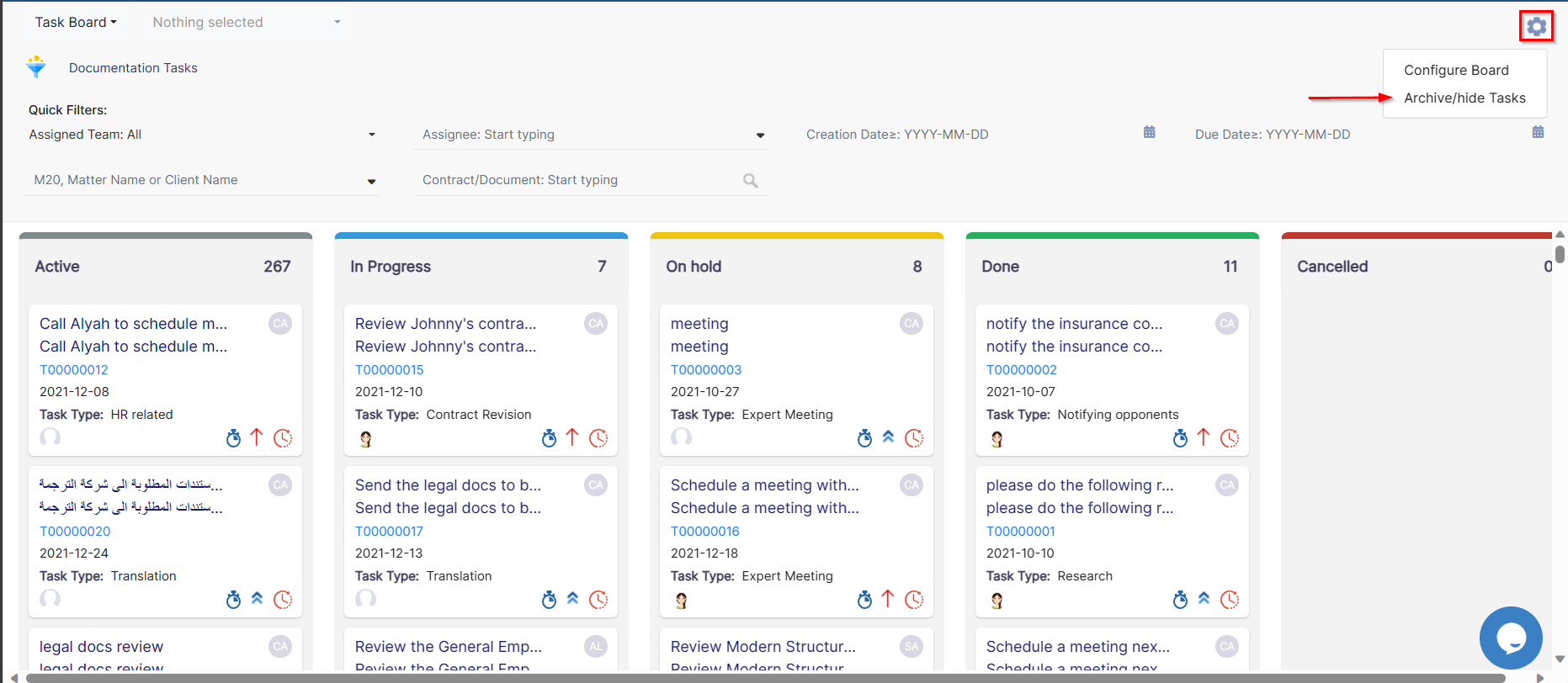
Select “Archive/Hide Tasks”
From the pop-up window:
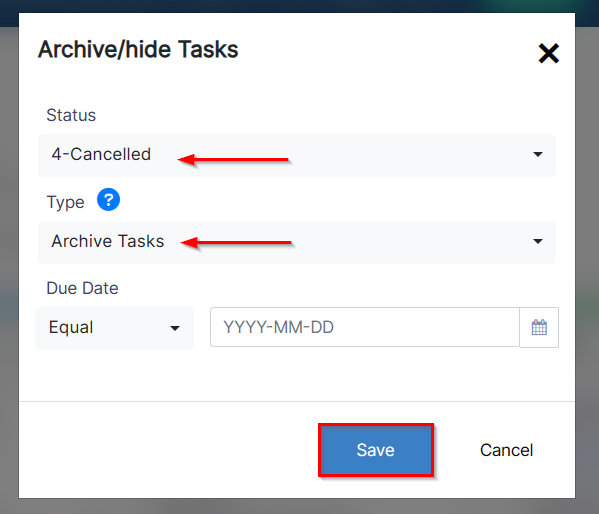
Select the task statuses you want to archive or hide
Choose whether to archive (remove from view and store) or hide (temporarily remove from board display)
You can also filter tasks by due dates to narrow your selection
Unarchiving Tasks
To restore archived tasks:
Go to the Tasks Grid

Click Advanced to open the search menu.

Set the Archive filter to “Yes”
Click Submit

All archived tasks will be displayed.
To unarchive them:
Select the tasks using the checkbox next to each one

Click Tools → Unarchive
The selected tasks will be restored and visible again on the task board.
For more information about LEXZUR, kindly reach out to us at help@lexzur.com.
Thank you!

This page has no comments.